.png)
These reports show a variety of data related to the shipments’ details in terms of different perspectives where the user will be able to perform the following:
-
Search for shipments based on different filters.
-
View the search results according to the selected filters.
-
Export the report’s search results to Excel format.
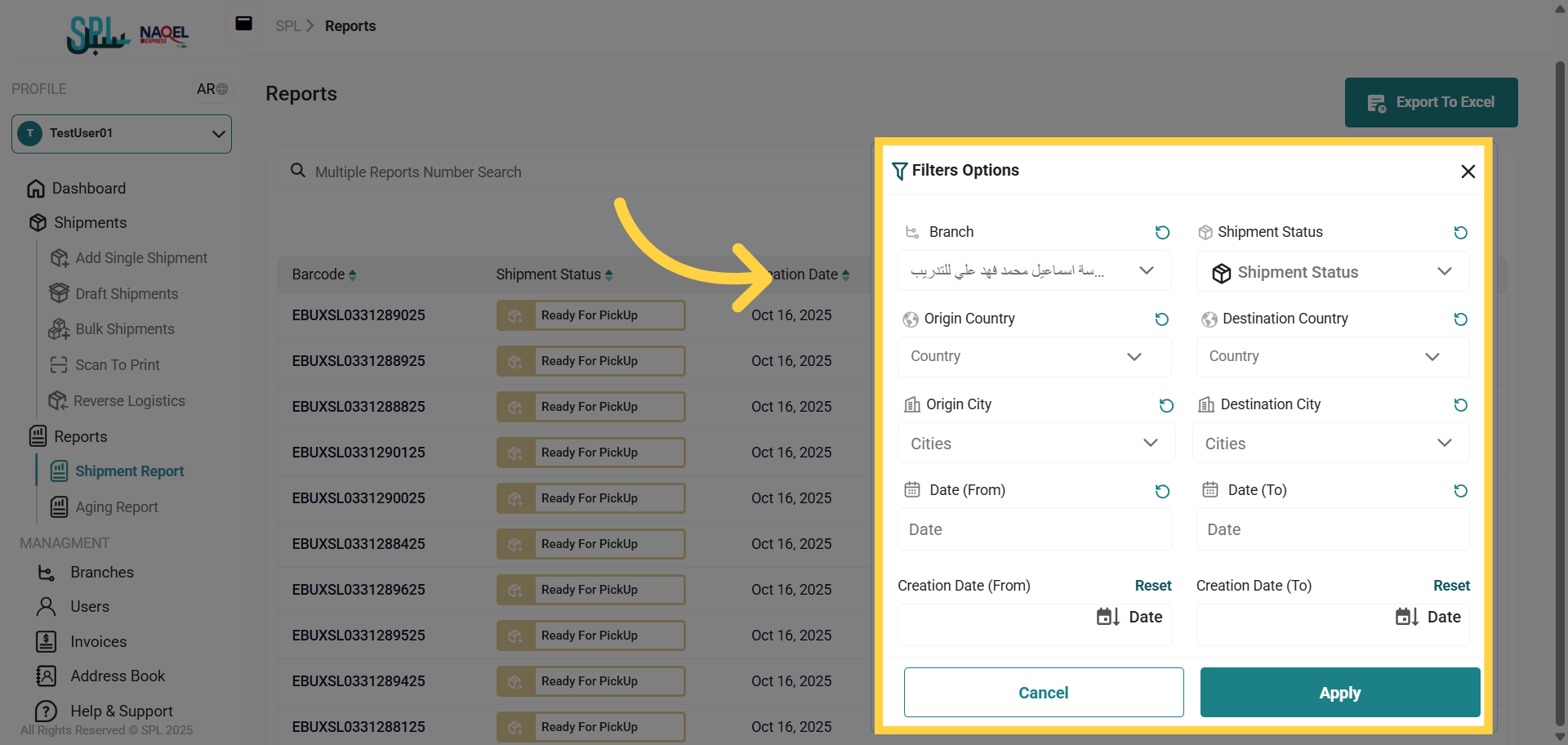
The user can generate and display the reports based on selected filters as follows:
-
Branch: refers to the branch to which the shipments are created.
-
Shipment Status: refers to the current state or progress of a shipment, indicating where it is in the delivery process.
-
Origin Country: refers to the country where the shipment is prepared before being transported to its destination.
-
Destination Country: refers to the final country where the shipment is to be delivered.
-
Origin City: refers to the city where the shipment is prepared before being transported to its destination.
-
Destination City: refers to the final city where the shipment is to be delivered.
-
Creation Date (From - To): refers to the date the shipment was created in.