.png)
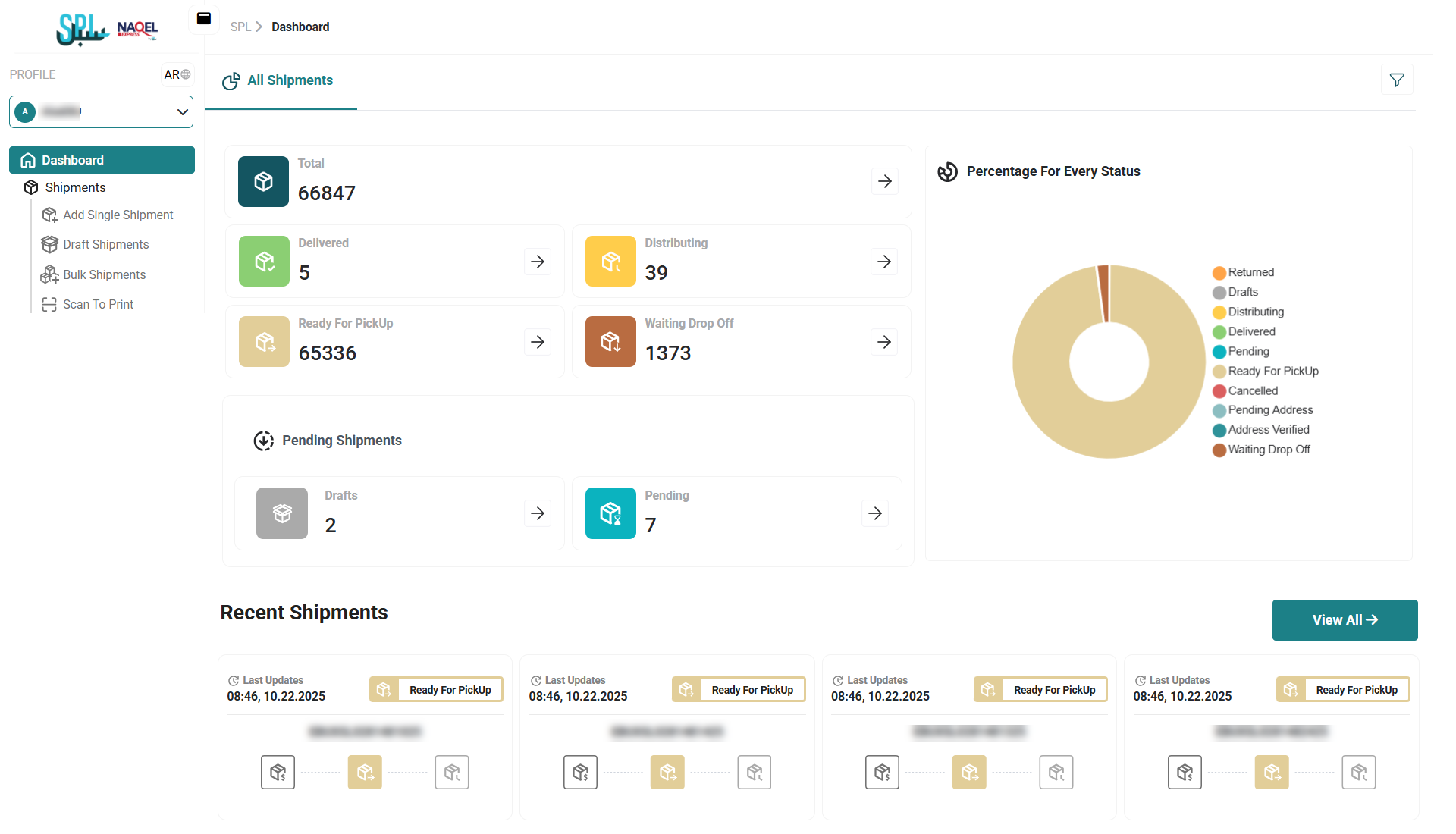
The dashboard provides a comprehensive overview of shipment activities, offering key insights into the current status of shipments.
The users can effortlessly access clear and actionable insights. Visualize your shipment status distribution with intuitive pie charts and stay informed with dynamic figures and cards that display the total count of shipments and the latest tracking updates.
Filters
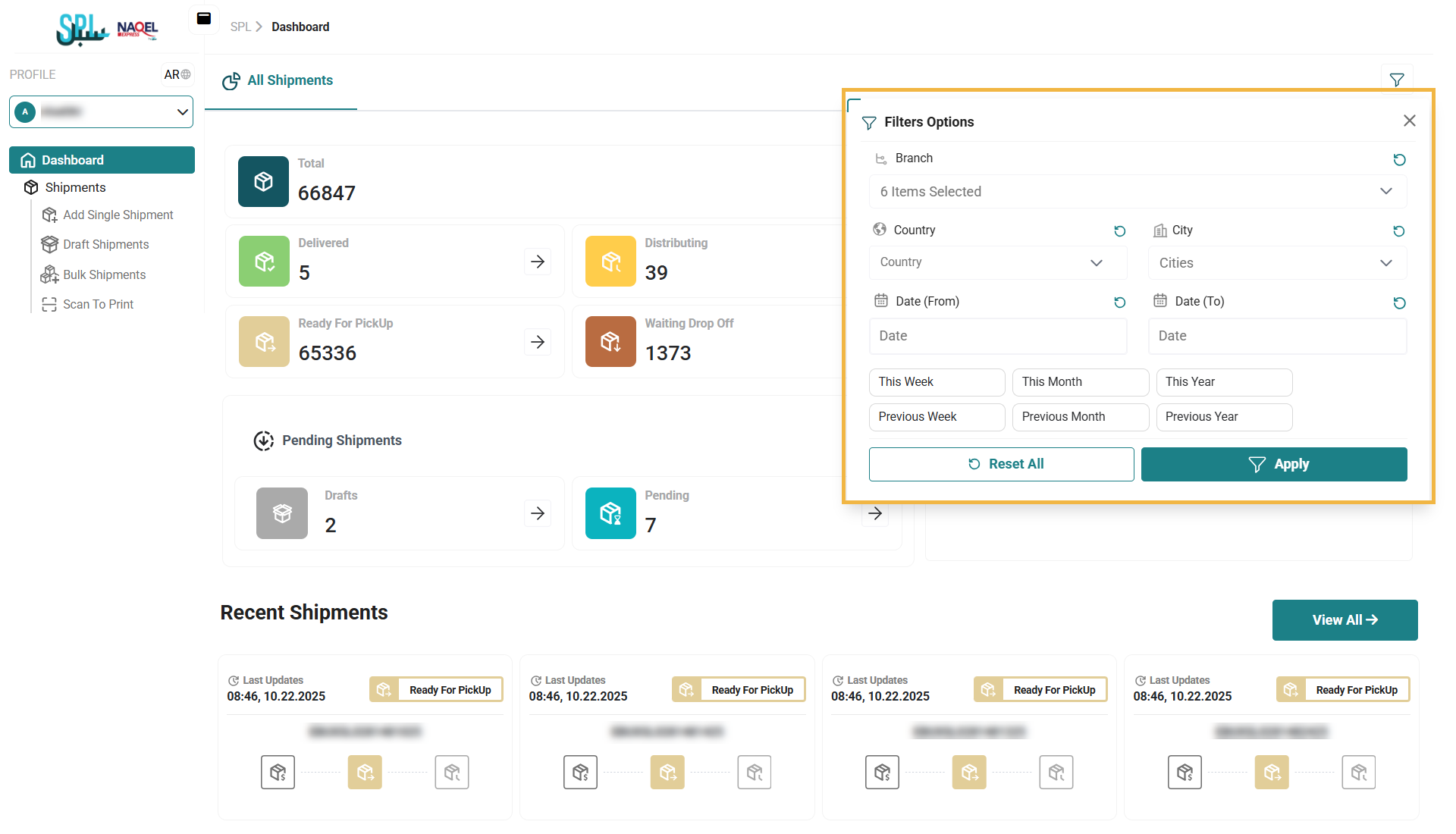
The user can generates and displays the filter based on selected filters as follows:
-
Branch
-
Country
-
City
-
Date from to
General
-
Total: this represents the total number of shipments processed.
-
Delivered: this represents the total number of shipments successfully delivered.
-
Distributing: this represents the total number of shipments it is being delivered.
-
Ready For Pick-Up: this represents the total number of shipments ready for pickup and delivery.
-
Waiting Drop off: this represents the total number of shipments waiting for a courier to deliver.
Pending Shipment
-
Draft: this represents the total number of shipments that is not ready yet and needs more information.
-
Pending Payment: this represents the total number of shipments pending due to financial issues.
Recent Shipment
-
View All: by clicking on this button the user can view list of delivered shipments in the system.